orq-arena documentation
An arena benchmark for LLMs on your own data.
A new model ships every few weeks, and each one tops a leaderboard somewhere. Whether it wins on your workload is a different question: public leaderboards rank models on someone else's data.
So run your own leaderboard. orq-arena ranks your model pool head-to-head on your own prompts and answers the question directly: "which of these models actually wins on my data, and can I trust the ranking?"
One command runs a round-robin tournament over your models. A panel of LLM judges compares every pair of answers blind, in both orders so no judge can favor "whichever answer came first". Out the other end: a chess-style ELO leaderboard with confidence intervals.
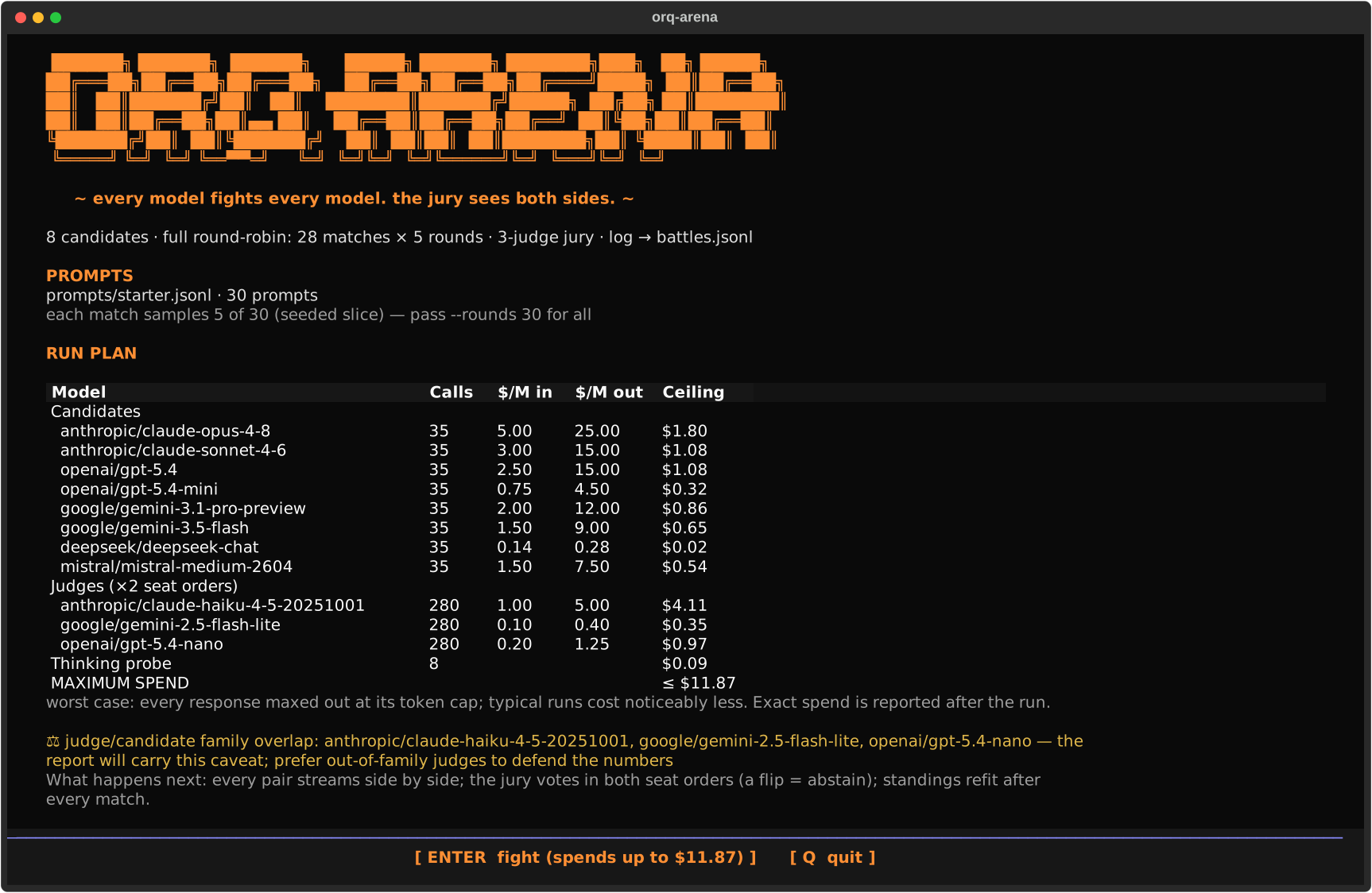
Every run opens on the Run Plan: the full pool, every judge, and the estimated cost to run the benchmark:
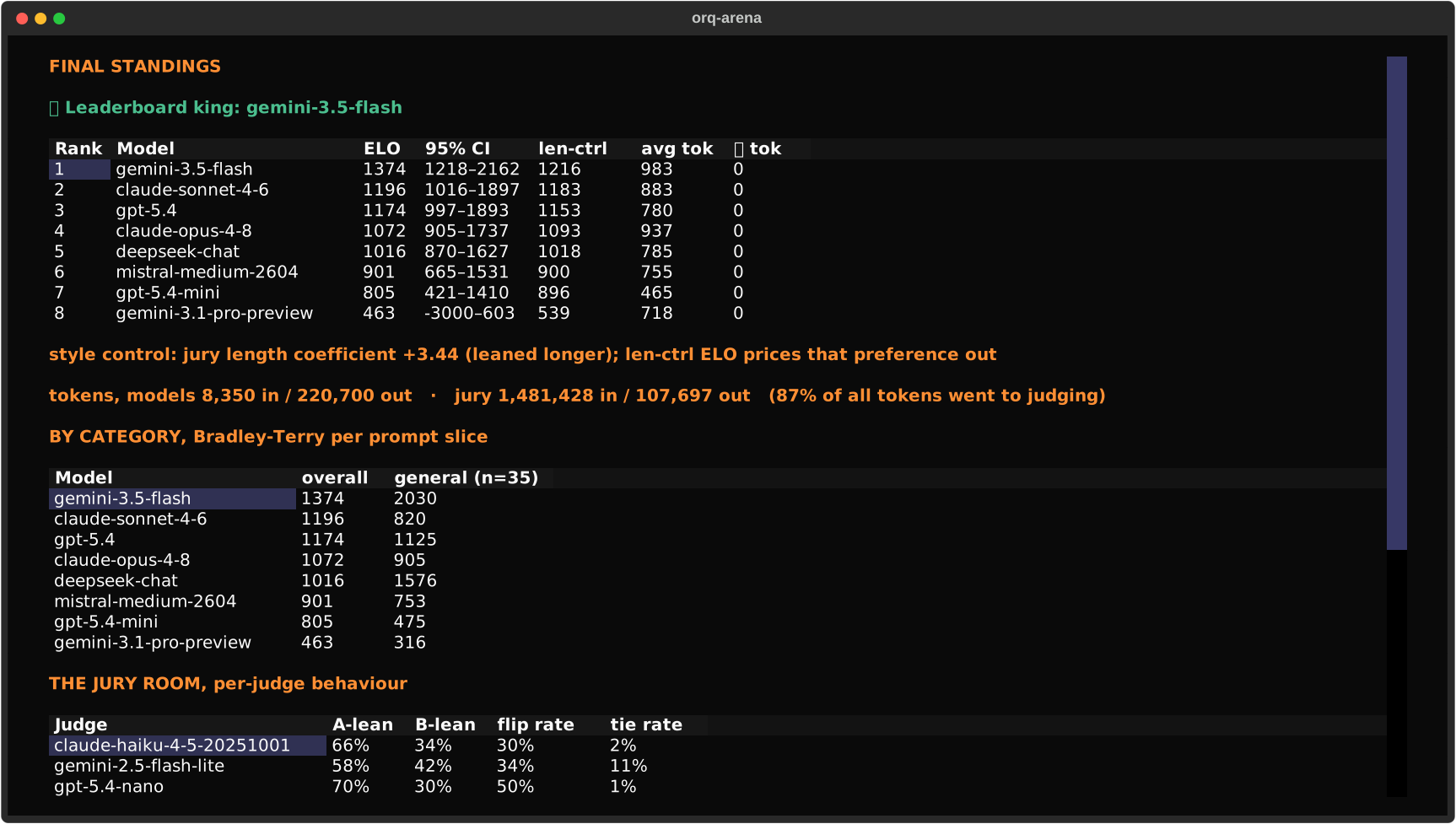
And ends on the Final Results: ELO with 95% CIs, the length-controlled rating (when the jury's length preference is identified), per-judge behaviour, and the win grid:
Why orq-arena?
Eval suites score models one at a time and stop discriminating once several models pass:
everything reads 9/10 and the ranking goes flat. Head-to-head comparison keeps discriminating:
show a judge two answers to the same prompt and ask which is better, the same technique the big
human-preference leaderboards use, with an LLM jury instead of a crowd. The verdicts are
guarded: every pair is judged twice with the answers swapped, a judge that changes its vote
when only the order changed is discarded for that round, and if too few trustworthy votes
remain the round counts as inconclusive rather than a coin flip.
Models are called through the orq.ai router gateway, so one API key covers every provider; judging is evaluatorq, our library for exactly this kind of jury.
Use it when you want to:
- Pick a default model for a product on your own prompts, not a public leaderboard's
- Re-rank the pool when a new model drops: one command, exact token accounting
- Generate pairwise preference data (
battles.jsonl) with per-judge votes for later analysis - Check whether "thinking" actually helps on your workload (uniform ON vs OFF pools)
- Pick the strong/economical pair for your Orq.ai Auto Router: the report's quality-vs-cost map puts every model's rating against what it costs, so the cheap end of the field is easy to read off
What you get
- A ranking you can defend. The rating is Bradley-Terry, the statistical model behind chess-style ratings, fit over every judged round with bootstrapped 95% confidence intervals. When a run is too small to separate the top two, the report says exactly that instead of calling it a tie. Judge-agreement stats ship with the standings.
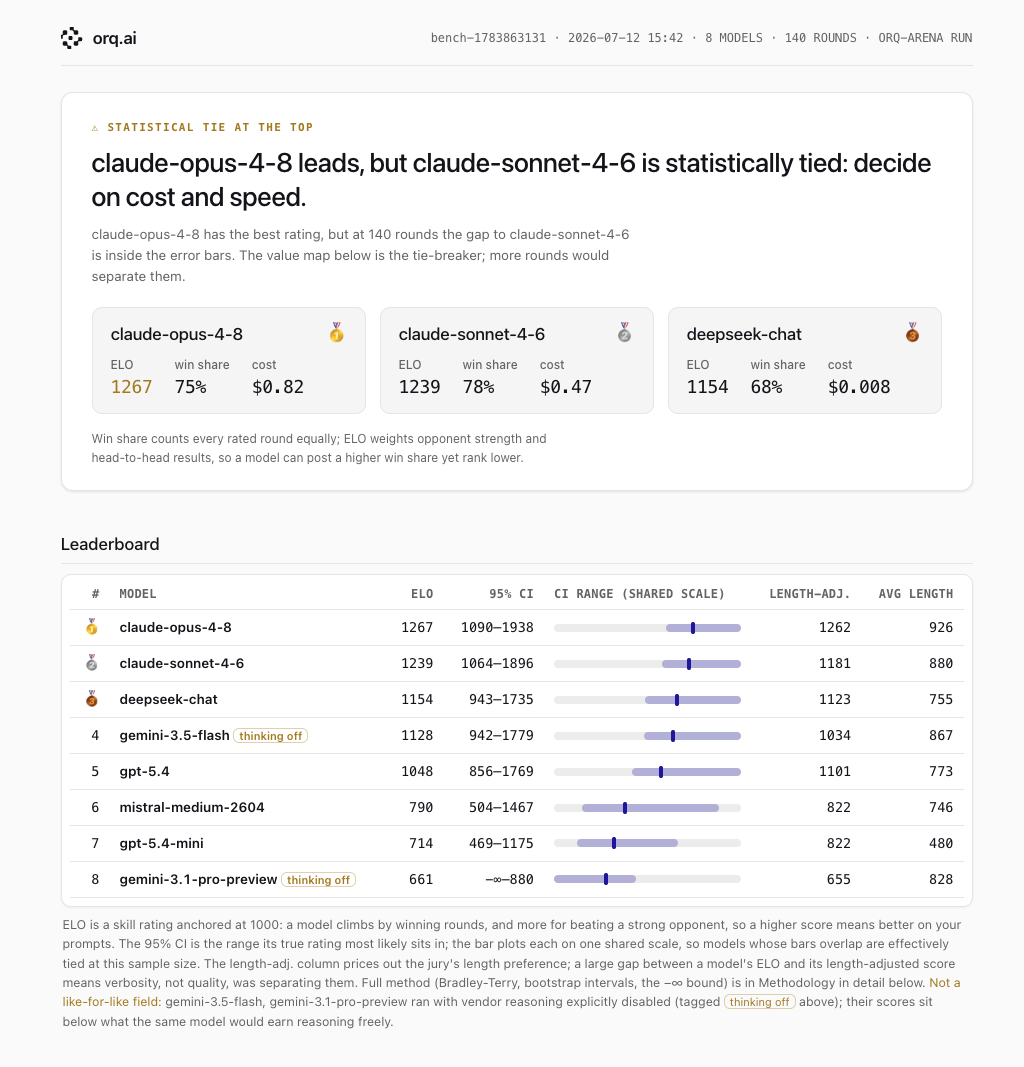
- A report you can share. One HTML per run. Verdict first, then the ELO ladder with
error bars, a quality-vs-cost chart, latency, and the dollar spend: exact per model at
catalog rates, marked
≈for the jury, whose spend is estimated at the panel's mean rate. - Raw data out the back. Every judged round lands in
battles.jsonl: both responses, each judge's vote, exact token counts, per-response timing. Real pairwise preference data for whatever you want to do next. - Jury swaps. The responses are already recorded, so re-judging with a different panel costs judge tokens only, and tells you how much the ranking depends on who judged it.
- Human spot-checks.
annotaterenders a run into a blind page (no model names, no jury votes) you can send to human raters;anchorcompares their votes with the panel's. - Watch live.
--tui(optional extra) opens on a Run Plan consent screen (full per-model cost table), then streams the run as a live arena with health bars and judge cards.
The report is the artifact you can share, one self-contained HTML file:
-
Getting Started
Install, add your key, and get your first benchmark running.
-
CLI Reference
Every command and flag with its expected output:
run,pool,report, and the rest. -
Configuration
Every
orq_arena.yamlkey, its type, default, and effect, plus the prompts file format and.envloading. -
Methodology
How the ranking is made, the bias controls, confidence intervals, and when to trust the number.
Suggested reading order
- Running benchmarks? Getting Started → Configuration → CLI Reference
- New to Orq.ai? orq.ai is the platform behind the router and the jury; docs.orq.ai covers the gateway, datasets, and API keys