Foundations
The agent loop
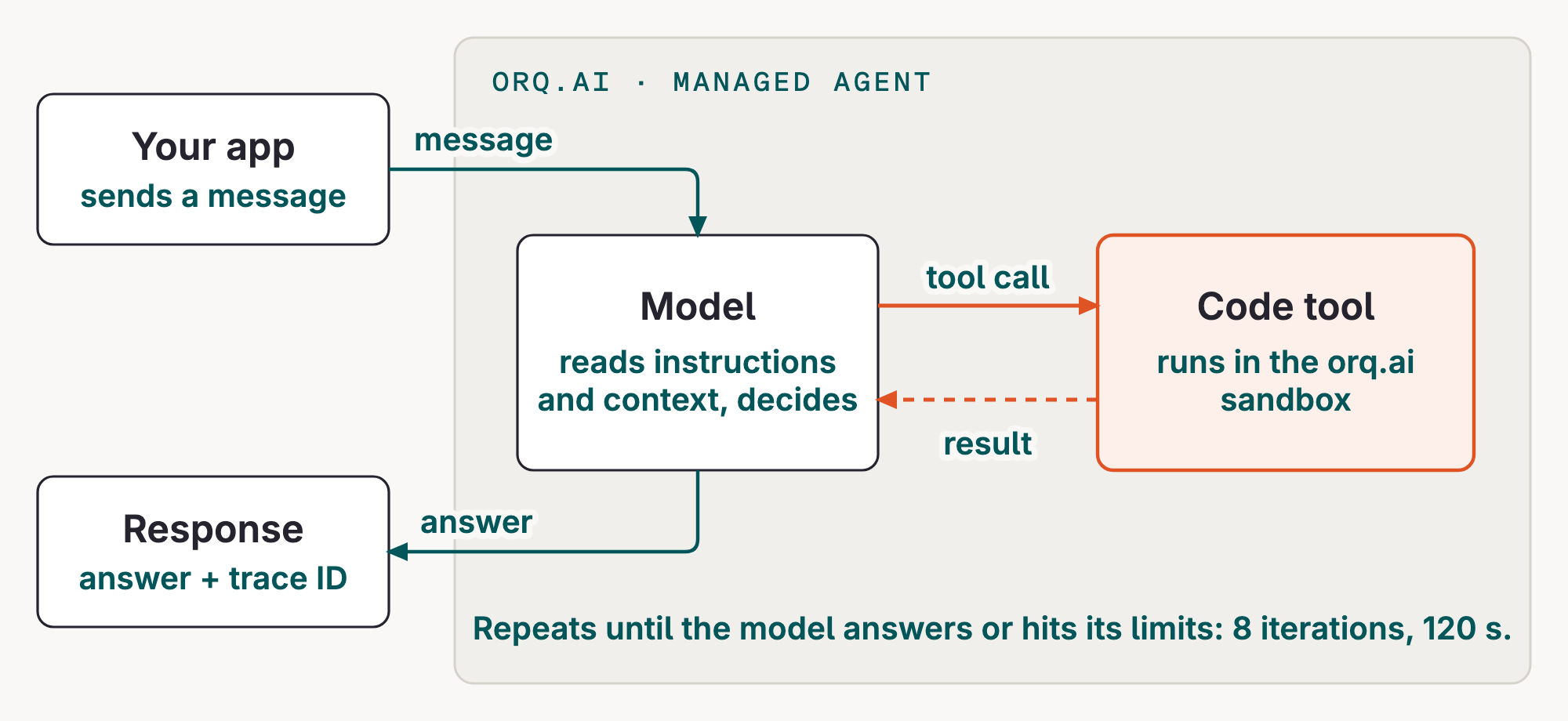
An agent is a model with instructions and, optionally, tools. orq.ai runs it in a loop: the model either answers or asks for a tool; orq.ai runs the tool and hands the result back; this repeats until the model answers or hits the agent's limits.
A hello agent
Source: hello_agent.py.
# Simplified from modules/02-refund-agent/hello_agent.py
orq.agents.create(
    key="your-unique-hello-agent-key",  # the script uses your seat: ws07-hello-agent
    role="Friendly customer greeter.",
    description="A minimal managed agent that greets the customer without tools.",
    instructions="Greet the customer in one friendly sentence.",
    path=settings.path,
    model={"id": settings.model, "parameters": {"reasoning_effort": "none"}},
    settings={"max_iterations": 8, "max_execution_time": 120, "tools": []},
)
response = orq.responses.create(model="agent/your-unique-hello-agent-key", input="Hello")
The instructions tell the model what to do; the model supplies the language. The application sends one input and receives one response. That is already a managed agent, even without tools.
Run the minimal example:
Example session (the answer, configured model and trace ID will vary):
agent : ws07-hello-agent
model : <configured model>
answer : Hello! How can I help you today?
trace : <your trace id>
The script creates agent/<WS_PREFIX>-hello-agent on first run, sends it Hello, and prints the answer and trace ID.
One simple tool call
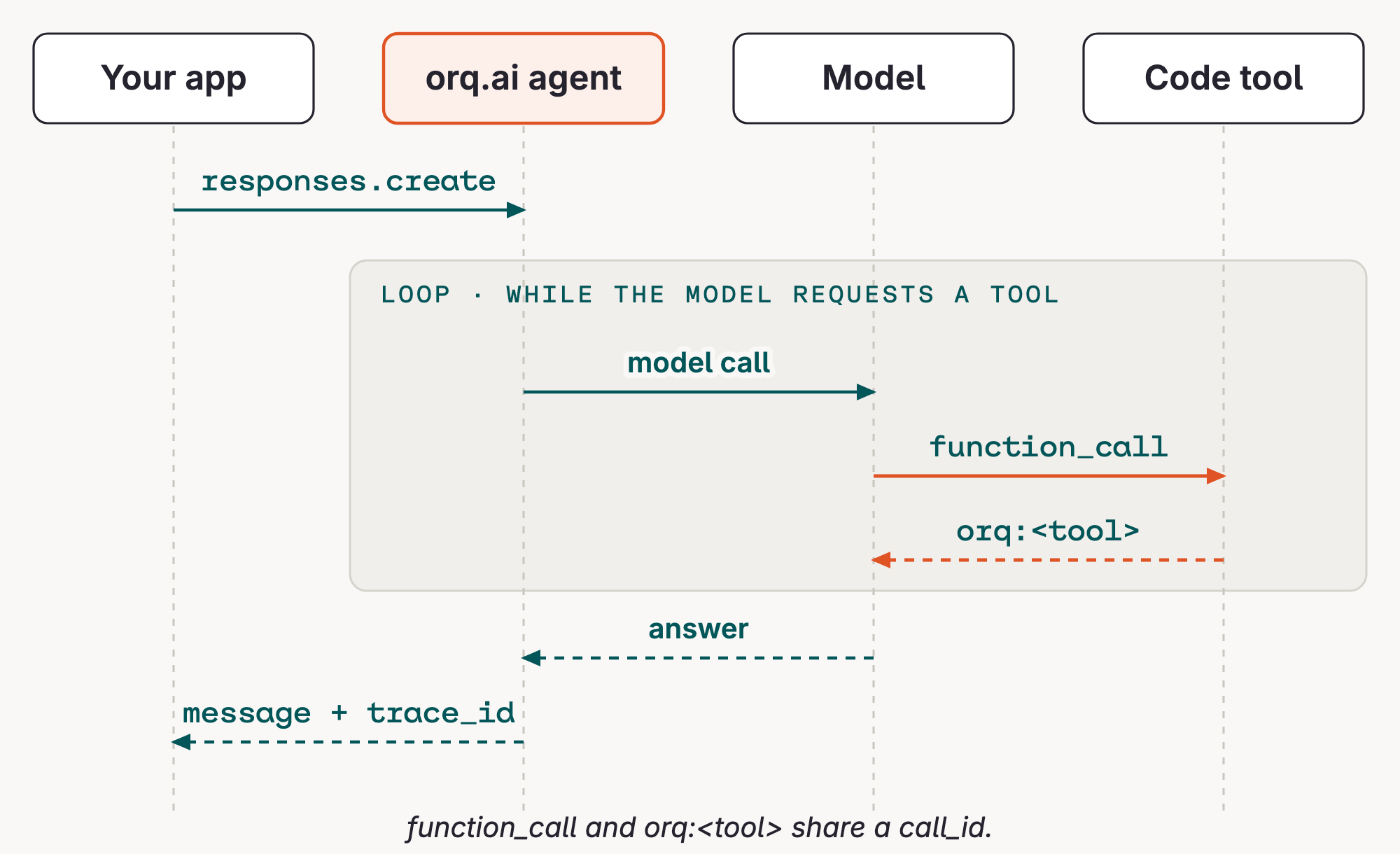
Imagine a get_weather(city) tool. The model asks for it; orq.ai runs it and returns the result. (The hello agent above has no tools; this is only an illustration.)
# The model asks for structured work.
{
    "type": "function_call",
    "name": "get_weather",
    "call_id": "call_1",
    "arguments": '{"city":"Paris"}',
}

# orq.ai executes the hosted tool and returns structured evidence.
{
    "type": "orq:get_weather",
    "call_id": "call_1",
    "result": {"temperature_c": 18, "condition": "clear"},
}
The pattern is the loop: model decision → tool result → model decision → answer. The refund agent uses the same loop with its own tools.
One turn on the wire
agent/<key> always runs the latest version; agent/<key>@1.0.0 pins one, so the same call gives the same configuration every time.
Next
Now apply this generic loop to the Use Case. It defines the refund requirements that the v1 Agent Design must meet.